First, Download the latest Roster update then extract it.
To Extract a file: Right click the file and select "Extract" (If you can't see any "Extract"option then you should download WinRar)
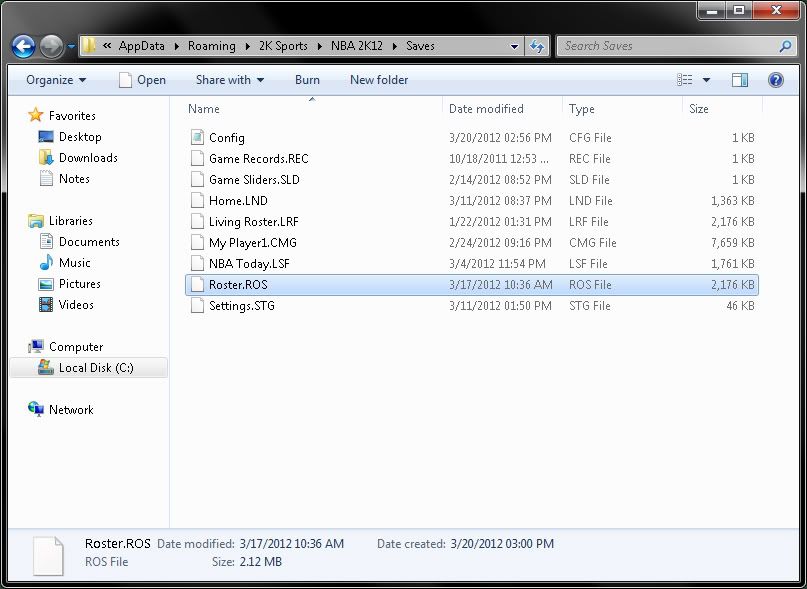
Copy the Roster.ROS file after extracting then navigate to AppData
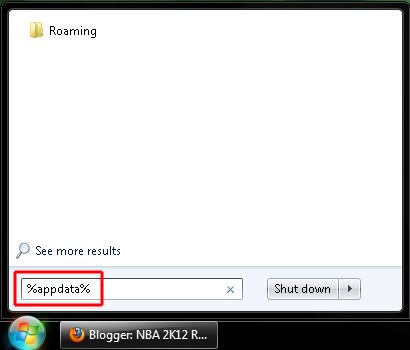
Start > Run > Type : %appdata%
then find 2K Sports\NBA 2K12\Saves , overwrite all the files.
(Click to enlarge the image)
or you can just simply go to:
XP users: C:\Documents and Settings\[your user name]\Application Data\2K Sports\NBA 2K12\Saves
Vista or Win 7 users: C:\Users\[your user name]\AppData\Roaming\2K Sports\NBA 2K12\Saves
To find your NBA 2K12 main game folder (How to Install Patches)
First, Download the Patch you want to install then extract it.
To Extract a file: Right click the file and select "Extract"
(If you can't see any "Extract"option then you should download WinRar)
Copy all the files inside the folder after extracting then go to NBA 2K12 main folder.
To find NBA 2K12 main folder:
● If you have the Steam version of the game
you can find your main NBA 2K12 folder here;
C:\Program Files\Steam\steamapps\common\nba 2k12
● The default DVD version of the game installs to;
C:\Program Files\2K Sports\NBA 2K12
(This is the easiest way to navigate to your main folder)
● You can also just Right click your NBA 2K12 game
desktop shortcut, click properties, and then click "Open File Location"
to find your installation/main folder.
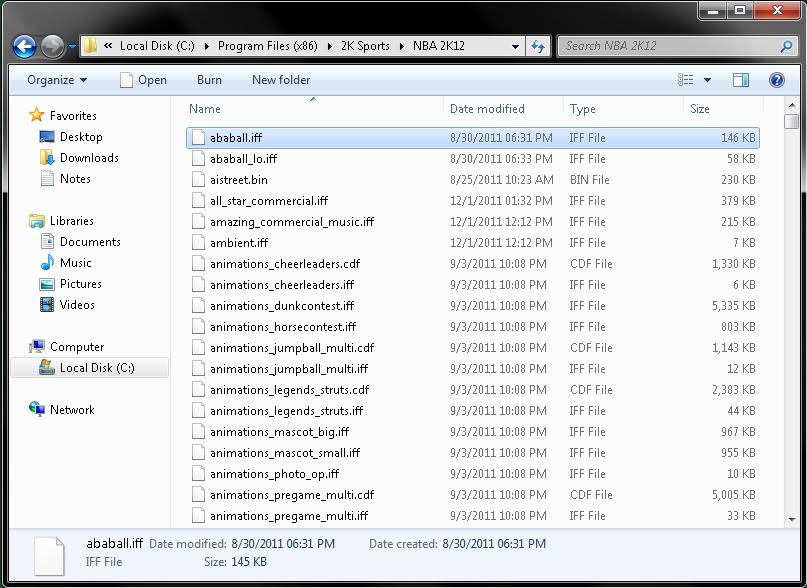
This is the main folder
(Click the image to enlarge)
Once you're already in the NBA 2K12 main folder, You can now replace/overwrite the files from the patch. Very simple, Isn't it?







 NBA 2K12 Frequently Asked Questions